1. Pick one fear
Being chased, being alone, something wrong in a familiar place, losing your mind. Pick one. A game with one clear fear is easier to build and easier to explain on a store page.
2. Choose a look you can afford
A PS1 look is a practical choice for horror: low-res textures, hard edges and fog hide a lot, and players like it. Our guide on making a PSX horror game shows the rules.
3. Grab free assets to prototype
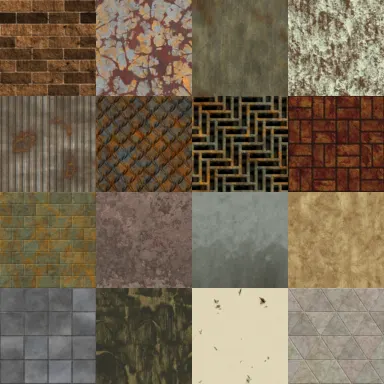
Horror Texture Pack
by Screaming Brain Studios
300 textures made for horror games: rust, flesh, stained walls and more.
Download free
Modular 3D Hospital Environment
by Madduck
Game-ready modular hospital assets with textures: a classic horror setting.
Download free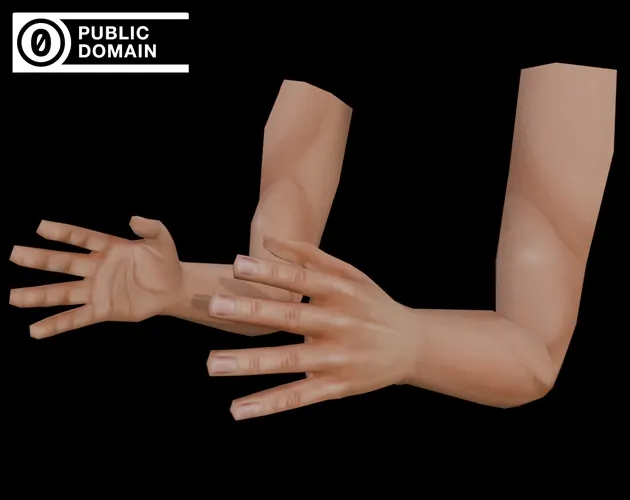
PSX First Person Arms
by Drillimpact
A low poly first-person arms rig in PS1/PS2 style, listed as CC0.
Download free
Horror SFX Volume 1
by ObsydianX
Sound effects, drones and stingers made for horror games.
Download freeMore in our free asset packs. Read each licence before you ship.
4. Control light and fog
Darkness is cheaper than monsters. Use one light source, short fog and a flicker for tension. Tune it with our horror atmosphere preview and read horror lighting in Unity.
5. Design with sound
Silence, a distant noise and a low drone do more than a monster model. Build a bed with our ambience mixer and read horror game sound design.
6. Add one threat and few tools
- One enemy type with simple rules the player can learn.
- Limited resources: few bullets, a dying flashlight, a save you must find.
- A save system. Use our Unity save system guide or the Save/Load System.
Use jump scares rarely. See how to make jump scares that work.
7. Playtest with strangers
Watch someone play without helping. Note where they relax and where they get lost. Horror fails when the player is confused instead of afraid.
8. Ship small, then use a jam
Publish on itch.io with a clear cover and a short trailer: see how to publish a game on itch.io. Horror jams like Scream Jam are in our game jam calendar.
Questions
Any of the big three works. Read [which engine to use](/guides/which-game-engine-should-you-use/). PSX-style horror is easy in Unity and Godot.
Aim for 15 to 30 minutes. Short games get finished, and players finish them.
Who wrote this
Imersa Studios builds the Unity systems, low poly packs and field guides sold on itch.io. The code and techniques here come from shipping those products. More about the studio.